


Blog
BAR-OIS: No more waiting! Get with it...
As of Oct 10th, according to the BAR, "Stations no longer need to wait for a getting started email from their vendor. After sending the DAD Disclosure Agreement to your DAD vendor, use your BAR-OIS computer to access the BAR-OIS Registration and Download link now located on BAR's website."

After checking with the BAR the activation can still take 4-7 days.
If you have recevied your DAD and sent in the paperwork, get activated here: http://www.smogcheck.ca.gov/Industry/BAR-OIS_Software_Registration_and_Download.html
Still need a DAD?
Units are in stock and ready to ship and AESwave will prefill the Warranty and Disclosure forms for your signature.
The IMclean DAD is available with or without a kiosk:

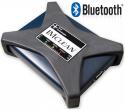


Are you member of ASCCA? Click here for a discount offer.
BAR resources:
For help with your OIS please use these resources:
- Call the BAR: 866.860.8509 x3
Watch these BAR videos, it shows what to do after you receive your activation notice:
- Registration Procedure: http://www.youtube.com/watch?v=mTkdqZmHNyw&feature=youtu.be
- Download Procedure: http://www.youtube.com/watch?v=YI2FKYfDEYI&feature=youtu.be
- Read the online BAR-OIS User Guide: https://help.calbarois.com/calvis-help/
Read the BAR’s 2013 Smog Check Manual: http://www.bar.ca.gov/pdf/Smog%20Check%20Manual_ENG_2013.pdf
Get your PC, Printer, and Bar Code Reader hardware setup:
- BAR’s official list: http://www.bar.ca.gov/pdf/Smog%20Check%20Manual_ENG_2013.pdf
Setup the IMclean DAD on your PC:
- Read the IMclean DAD manual
- install the IMclean software (drivers) after you have your PC setup (see below) and before you start the BAR-OIS activation process.
- Learn how to do the DAD self-test, see page 7 of the IMclean Manual in the Support and Updater tool. Your DAD kit includes a short cable for doing a self-test.
